How to Check Samsung Warranty Using IMEI - and What the Result Really Tells You
You are buying a used Samsung phone, sending your Galaxy for repair, or simply trying to find out whether your device is still covered.
One of the first things people look for is the IMEI.
That makes sense. The IMEI is one of the most important identifiers assigned to a smartphone, and Samsung itself uses IMEI or serial number information in its support and product registration systems.
But checking a Samsung warranty is not as simple as saying:
"I have an IMEI, so I know everything about the warranty."
The IMEI can help identify the device, but warranty status also depends on Samsung's records, the market where the phone was sold, the purchase date, and the exact type of coverage attached to the device.
First, find the correct IMEI
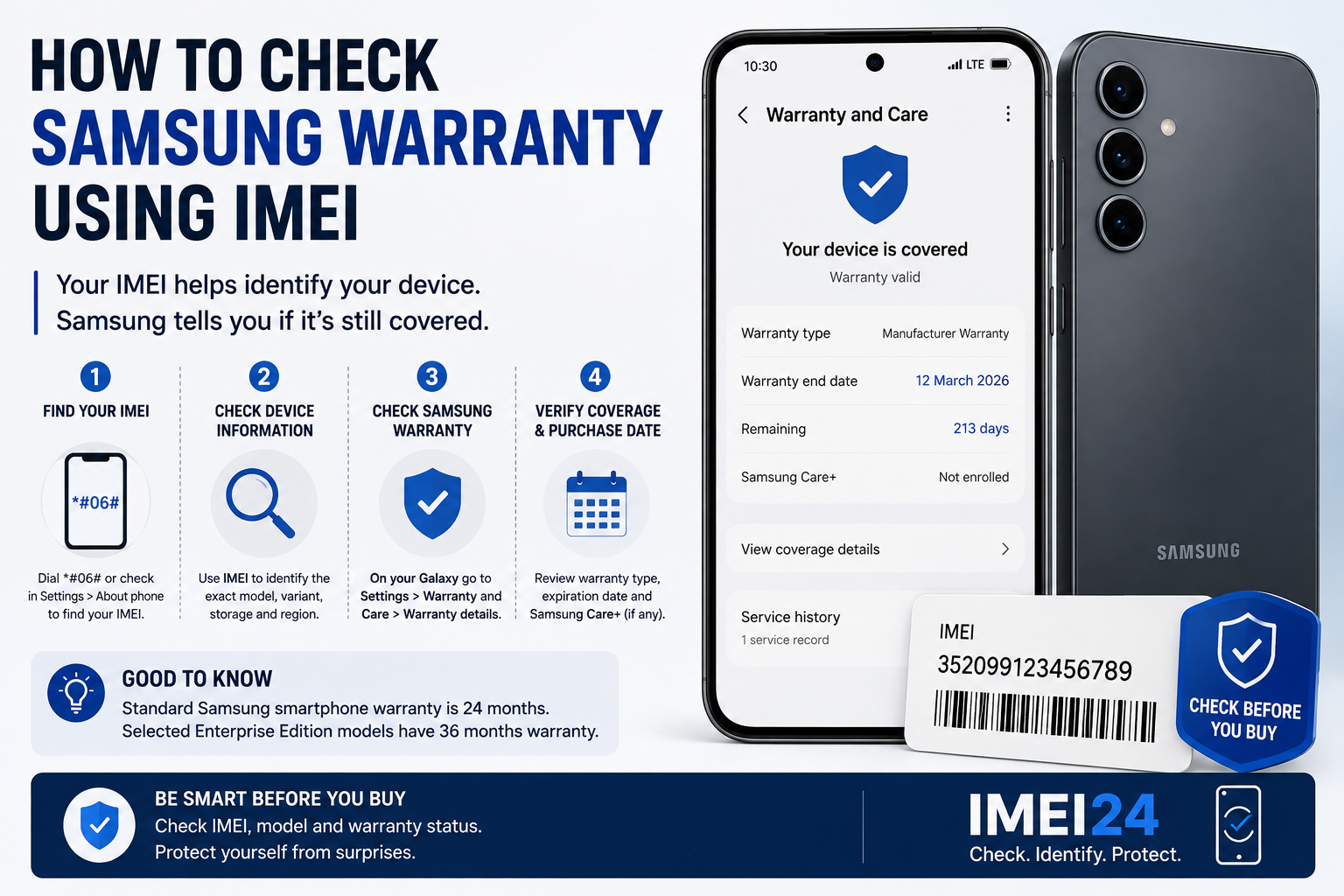
The easiest way to display the IMEI on most Samsung Galaxy phones is to dial:
*#06#
You can also find it in:
Settings - About phone
Depending on the model, you may see:
* IMEI1
* IMEI2
* serial number
* model number
Dual SIM and eSIM phones can have more than one IMEI, so make sure you know which identifier you are checking.
The IMEI may also appear on the original box or purchase documentation.
Why Samsung uses IMEI during support and registration
Samsung's Polish support pages allow users to enter a serial number or IMEI when registering a product or dealing with support-related processes.
This is useful because the commercial name alone is not always enough.
For example:
"Galaxy S25"
does not necessarily identify the exact regional or hardware variant.
The IMEI can help connect the device with more precise product records.
That is particularly useful if:
* the original box is missing
* the phone was bought second-hand
* the phone was imported
* you do not know the exact variant
* the device has been repaired before
Can you check Samsung warranty directly on the phone?
Samsung now provides warranty information through the "Warranty and Care" section on supported Galaxy devices.
Samsung explains that users can view information such as:
* current warranty status
* type of coverage
* warranty expiration date
* Samsung Care+ information
The device must be connected to a Samsung Account for these details to be available.
Samsung's current instructions are:
Settings - Warranty and Care - View details - Warranty details
The exact menu naming can vary depending on language and software version.
How long is Samsung smartphone warranty?
Samsung Poland currently lists a standard warranty period of 24 months for smartphones.
The same 24-month period is also listed for batteries and accessories included with the smartphone set.
There are exceptions.
Samsung lists selected Enterprise Edition smartphones and tablets with a 36-month warranty, depending on the exact model and purchase date.
This is another reason why identifying the exact model matters.
Two Samsung phones that look almost identical may not necessarily have the same warranty conditions.
Does an IMEI check show the official Samsung warranty?
This distinction is important.
A general IMEI lookup and Samsung's own warranty system are not the same thing.
Using IMEI24 can help identify available device information such as:
* exact model
* manufacturer
* Product Name
* SKU
* storage
* regional or device variant
* blacklist status where supported
This can help you confirm what Samsung device you are dealing with.
However, the final authority on Samsung warranty coverage is Samsung and its official service system.
An IMEI lookup should therefore be treated as a device identification tool, not as a replacement for Samsung's official warranty records.
Why the exact model matters for warranty
Suppose you are buying a Galaxy phone that was originally sold in another country.
The seller tells you:
"It still has Samsung warranty."
That may sound reassuring, but there are several questions worth asking.
Which market was the phone originally intended for?
What is the exact model number?
When was it purchased?
Is the device registered with Samsung?
Does Samsung's system actually show active coverage?
These questions become particularly important with imported devices.
A phone can be genuine Samsung hardware and still have warranty conditions that differ from the version officially sold in your country.
Check the IMEI before checking the warranty
There is a practical reason to identify the phone first.
You want to make sure the device itself matches what you think you are checking.
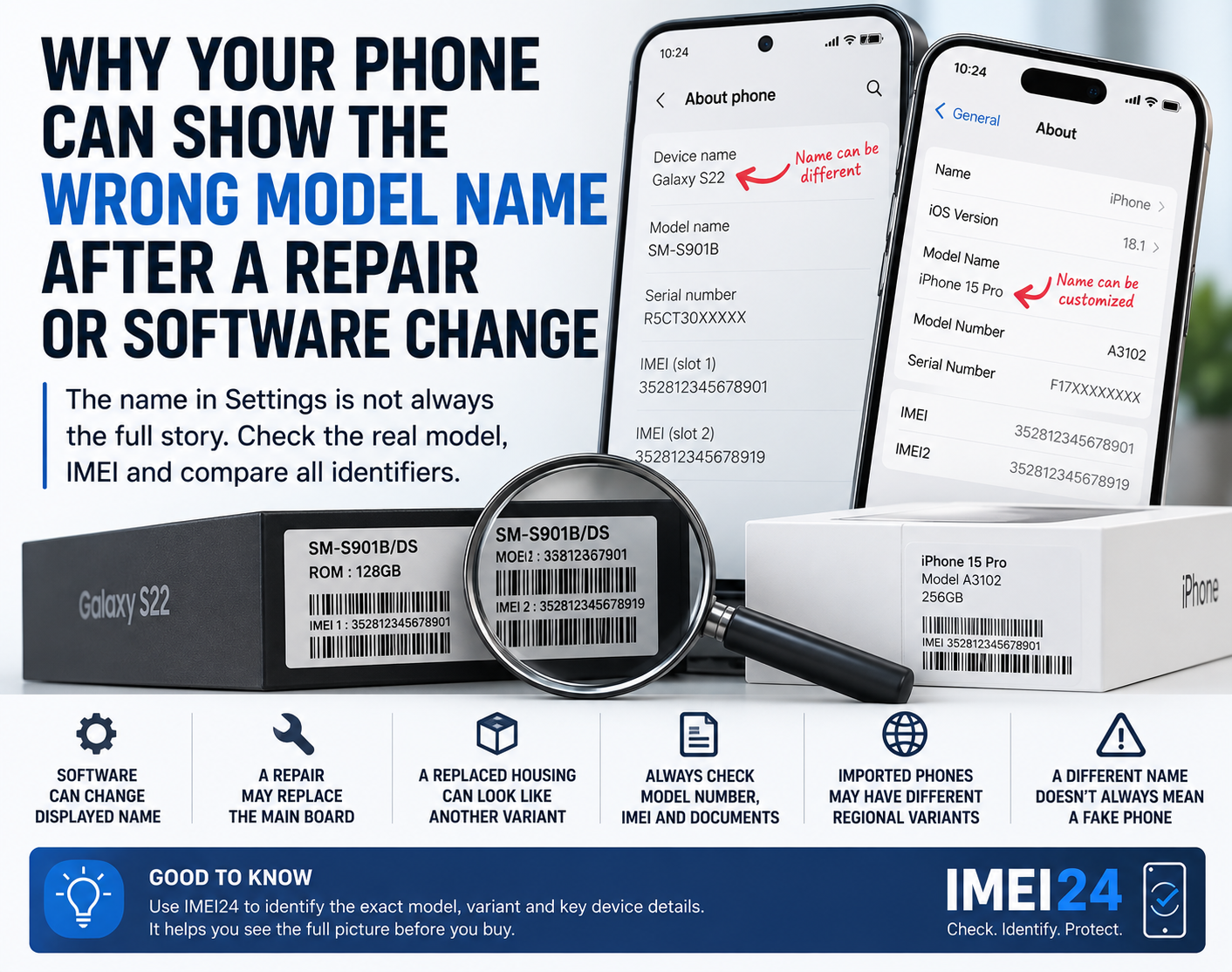
Imagine that a seller advertises a particular Galaxy model, but the IMEI information points to a different variant.
That does not automatically mean fraud.
Possible explanations can include:
* incorrect listing
* imported regional variant
* previous repair
* replaced main board
* simple seller mistake
But it is a reason to investigate further before relying on a warranty claim.
IMEI24 can be useful at this stage because it helps you check the identity of the phone before you move on to official warranty verification.
What if the phone has been repaired?
Repair history can complicate identification.
If the main board was replaced, the device may have undergone a significant repair procedure.
Do not assume that every repaired phone has lost its warranty, but do not assume the opposite either.
The best evidence is documentation.
Ask for:
* repair invoice
* Samsung service report
* original purchase document
* current IMEI
* original IMEI if available
Samsung's Warranty and Care section can also display service history information in supported regions, including service dates, case numbers, repair status, model, and serial number. Samsung notes that availability of repair history features varies by country.
Do you need proof of purchase?
An IMEI can identify the phone, but it does not automatically replace all purchase documentation.
When dealing with a warranty claim, Samsung may need information connected with the purchase and the warranty conditions.
That is why an original invoice or receipt can still be extremely valuable, especially when buying a second-hand phone.
A seller saying "you can check the IMEI" is not the same thing as providing proper warranty documentation.
What should you check before buying a Samsung with "warranty"?
If warranty is part of the reason you are buying the phone, check more than one thing.
Before paying, verify:
* IMEI
* exact model number
* regional variant
* current Samsung warranty status
* purchase date
* proof of purchase
* repair documentation
* blacklist status where available
Also compare the IMEI shown by the phone with the number on the box and documents.
Any difference deserves an explanation.
A warranty date does not tell you everything about the phone
This is worth remembering.
An active warranty does not automatically tell you:
* whether the phone has been dropped
* whether it has liquid damage
* whether every part is original
* whether it has been privately repaired
* whether the battery is still in good condition
Warranty status is one useful piece of information.
It is not a complete condition report.
The same applies to IMEI.
IMEI can help identify the device and check certain records, but it cannot reliably provide the phone's complete physical or repair history.
The best approach is to use both
If you want to check a Samsung phone properly, use IMEI information and Samsung's official warranty system for different purposes.
IMEI24 can help answer:
What exact device is this?
Samsung's warranty tools can help answer:
Is this device currently covered, and what type of protection does it have?
Those are related questions, but they are not the same question.
When buying a used or imported Galaxy, checking both gives you a much clearer picture than relying on the seller's description alone.