Your Phone Came Back From Repair - How Do You Know It's Still the Same Device?
You leave your smartphone at a repair center.
A few days later, you pick it up. The broken screen is fixed, the phone looks familiar, your case fits perfectly and everything seems normal.
But there is an interesting question most people never ask:
Is it actually the same device?
In most routine repairs, of course, it will be.
But some repairs involve replacing major components, and in certain situations a device may even be replaced rather than repaired.
Knowing a few basic identifiers can help you understand what came back from service.
Start before you send the phone for repair
The best time to record information about your smartphone is not after the repair.
It is before.
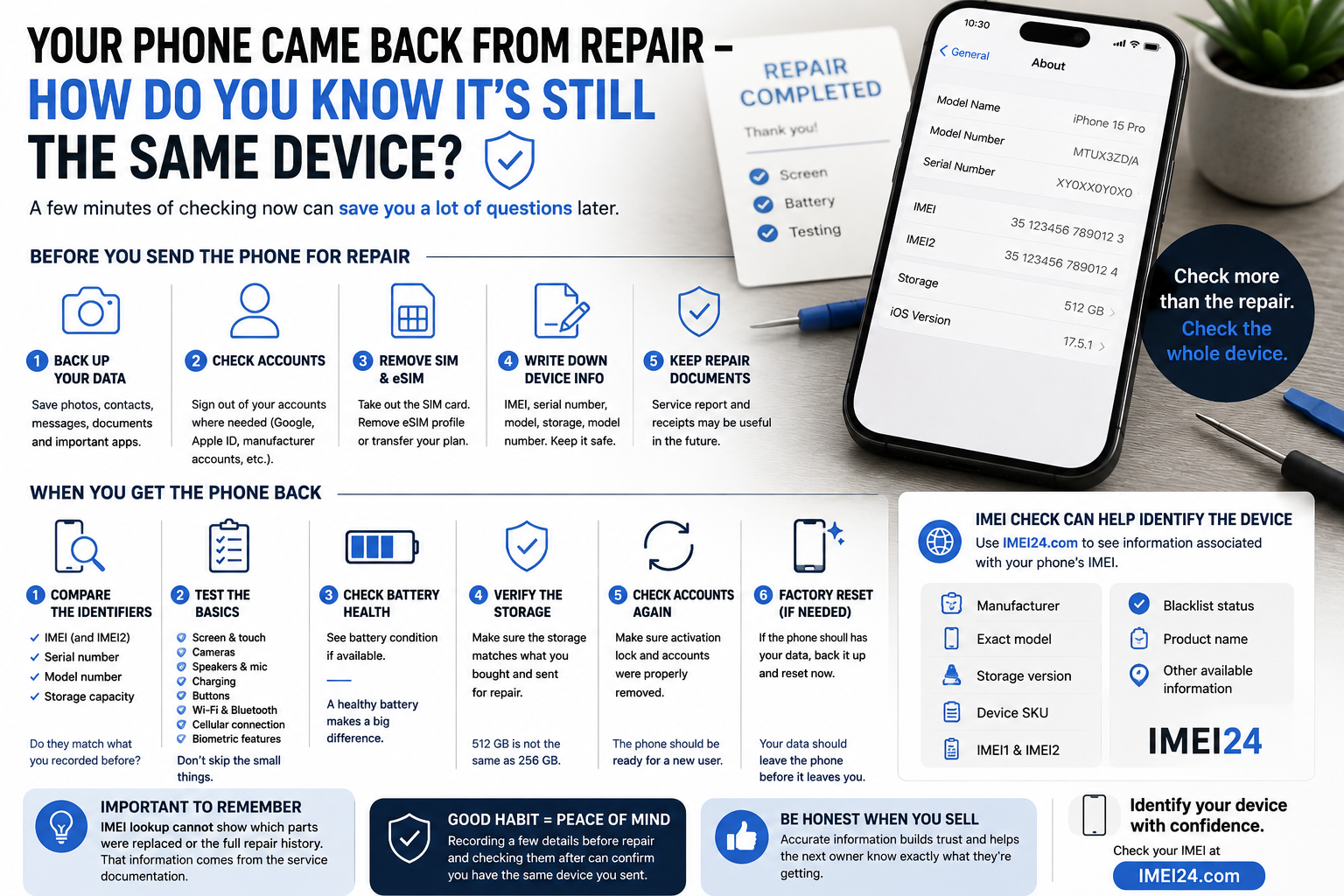
Before handing over the device, save a few basic details somewhere other than on the phone itself:
• IMEI
• serial number
• exact model
• storage capacity
• model number
You can take a screenshot, photograph the information with another device or simply write it down.
If the phone no longer turns on, some of this information may also be available on the original packaging or purchase documents.
IMEI and serial number are not the same thing
These two identifiers are often confused.
The IMEI is associated with the phone's cellular equipment and is used to identify the device on mobile networks.
The serial number is an individual identifier assigned by the manufacturer.
Both can be useful when comparing the phone before and after service.
Where can you find the IMEI?
On a working smartphone, one of the quickest methods is usually:
*#06#
You can also find identification information in the device settings.
On phones supporting multiple cellular lines, you may see both IMEI1 and IMEI2.
That is normal and should be taken into account when recording the information before repair.
What should you check when the phone comes back?
Don't look only at the repaired part.
Check the basic device information again and compare it with what you recorded earlier.
Look at:
• IMEI
• IMEI2 where applicable
• serial number
• model number
• storage capacity
If everything matches, you have another useful confirmation that you are dealing with the device you originally submitted.
What if the IMEI is different?
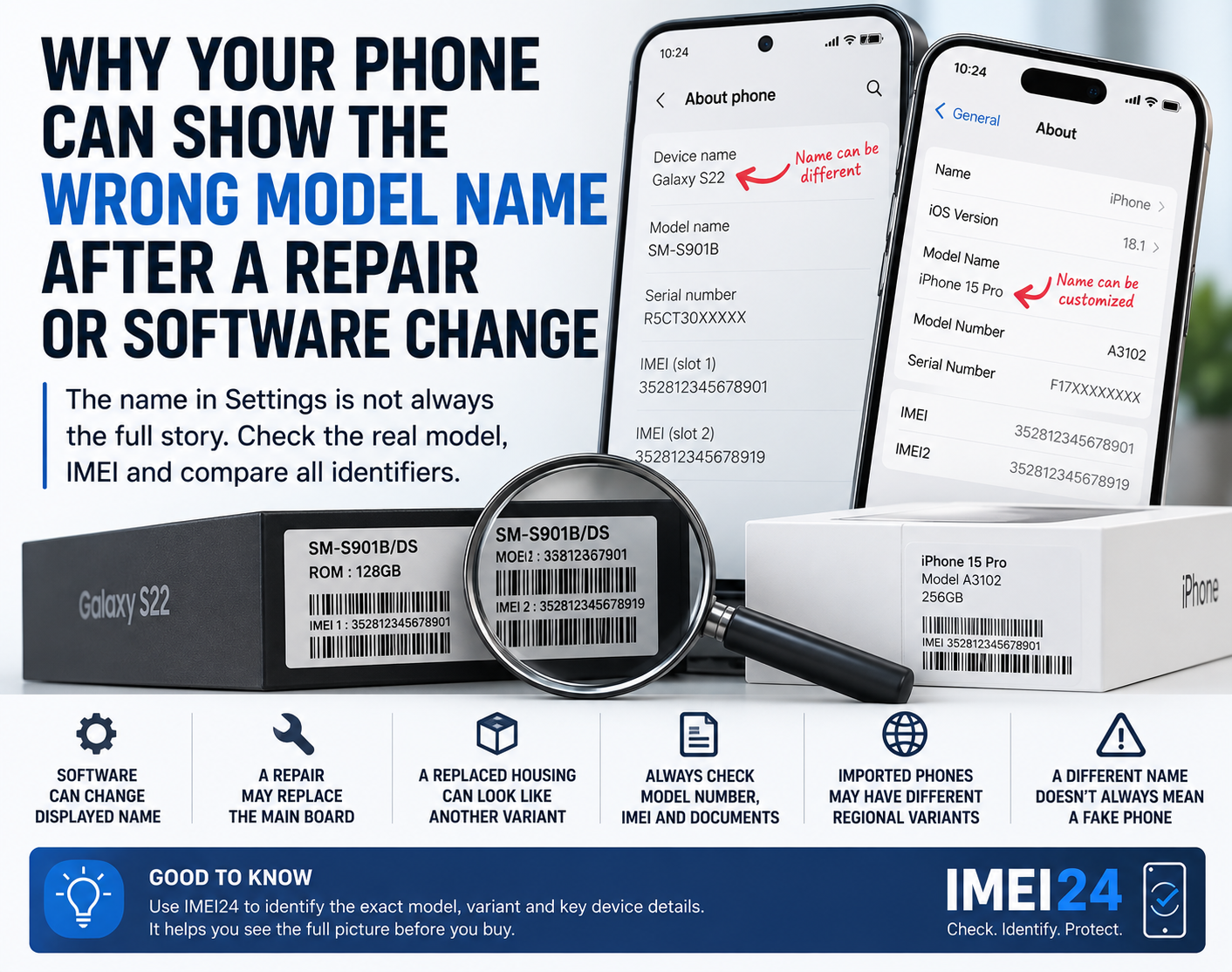
A different identifier does not automatically mean that something suspicious happened.
There may be a legitimate explanation.
For example, the service process may have involved replacement of the device or hardware relevant to its identity.
The important thing is not to guess.
If the information has changed unexpectedly, ask the repair provider what was replaced and check the service documentation.
Check more than numbers
Even if the device identifiers match, you should still test the phone itself.
A successful repair means more than simply fixing the original fault.
After collecting the phone, test:
• touchscreen
• cameras
• microphones
• speakers
• charging
• Wi-Fi
• Bluetooth
• cellular connection
• physical buttons
• biometric authentication
It only takes a few minutes and is much easier to do before you have been using the phone again for several days.
Check the storage capacity too
Storage is an easy detail to overlook.
If you submitted a 512 GB version for repair, the device returned to you should not unexpectedly identify itself as a 256 GB version.
The commercial name alone may not reveal this difference.
Two phones from the same product family can look virtually identical while having different configurations.
IMEI lookup can help identify the device
If you want to check additional information associated with the IMEI, you can use IMEI24.
Depending on the device and available data, the results may include information such as:
• manufacturer
• exact model
• product name
• storage version
• device SKU
• IMEI1 and IMEI2
• blacklist status
• other available device information
This gives you another way to compare the device with the information you recorded before repair.
Can IMEI tell you which parts were replaced?
This is where expectations need to be realistic.
A standard IMEI lookup should not be treated as a complete repair history.
It will not automatically tell you that a technician installed a new battery, replaced the display or changed a camera module.
That information should come from the repair documentation and, where available, diagnostic or manufacturer information.
IMEI verification and repair history are two different things.
What about your data?
Device identity is only one side of the story.
Before repair, you should also consider what happens to your personal information.
If possible, follow the manufacturer's recommendations for preparing a device for service.
Back up important information and make sure you understand whether the repair process may require the phone to be erased.
Never assume that data stored only on the damaged phone will automatically survive the repair.
Keep the repair documentation
Don't throw away the service report once the phone works again.
If components were replaced, the document may become useful later when:
• making a warranty claim
• selling the smartphone
• returning to the repair center
• explaining previous repairs to a future buyer
It creates a simple history of what happened to the device while it was in service.
A two-minute habit that can save a lot of questions
Most people photograph a damaged screen before sending a phone for repair.
Far fewer record the IMEI, serial number and exact model.
It takes only a moment.
And if anything is unclear when the device comes back, you have something concrete to compare instead of relying on memory.
Final thoughts
When your smartphone returns from repair, don't just check whether the cracked screen is gone.
Check the device itself.
Compare the identifiers, confirm the model and storage capacity, test the basic functions and keep the service documentation.
If you need additional information associated with the IMEI, IMEI24 can help you identify the available details about the device.
The simplest rule is also the easiest to remember:
record your phone's identity before you hand it over.